USE CASE · ADHD WORKERS
Pick up right where you left off.
A Slack ping pulls you away mid-sentence. Ten minutes later you are staring at twenty tabs trying to rebuild what mattered. Contextberg keeps your trail so returning feels automatic.
Free forever with no credit card required. Choose exactly which apps and signals stay private. Exclude private apps or websites anytime in Settings, or pause capture with one click.
WORKDAY SCENES
Three everyday interruption moments
How AFK Detection, Short-Term Memory (STM), and Long-Term Memory (LTM) show up during a noisy workday.
01 · Returning from a break
Stop staring at twenty open tabs wondering what you were doing
Coming back from a quick call or break meant scrolling through browser tabs and Slack channels just to rebuild the mental state you lost—only to get sidetracked again.
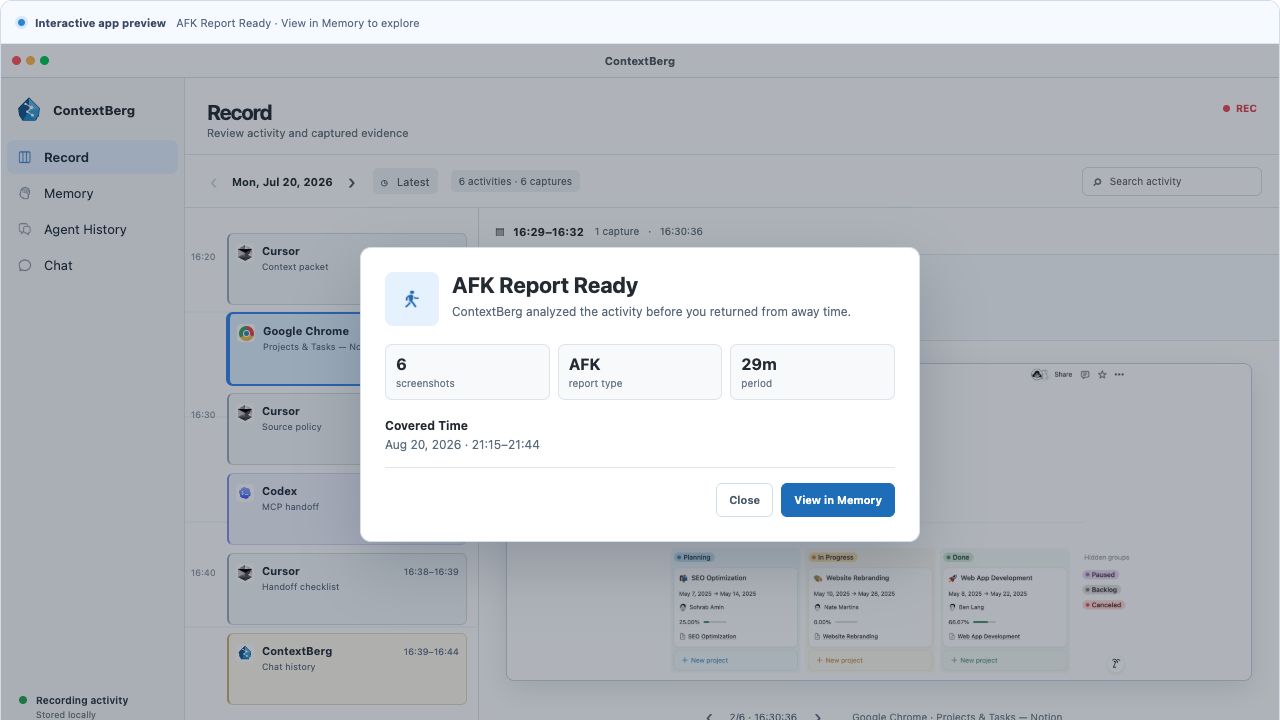
Automatic AFK Detection notices away periods without any start/stop timer and surfaces AFK Report Ready the moment you sit back down.
02 · After a Slack interruption
Recover the draft and open thread you left behind—with visual proof
Answering one urgent Slack DM spirals into checking three channels and forgetting which file you were editing—or whose reply you were waiting on.
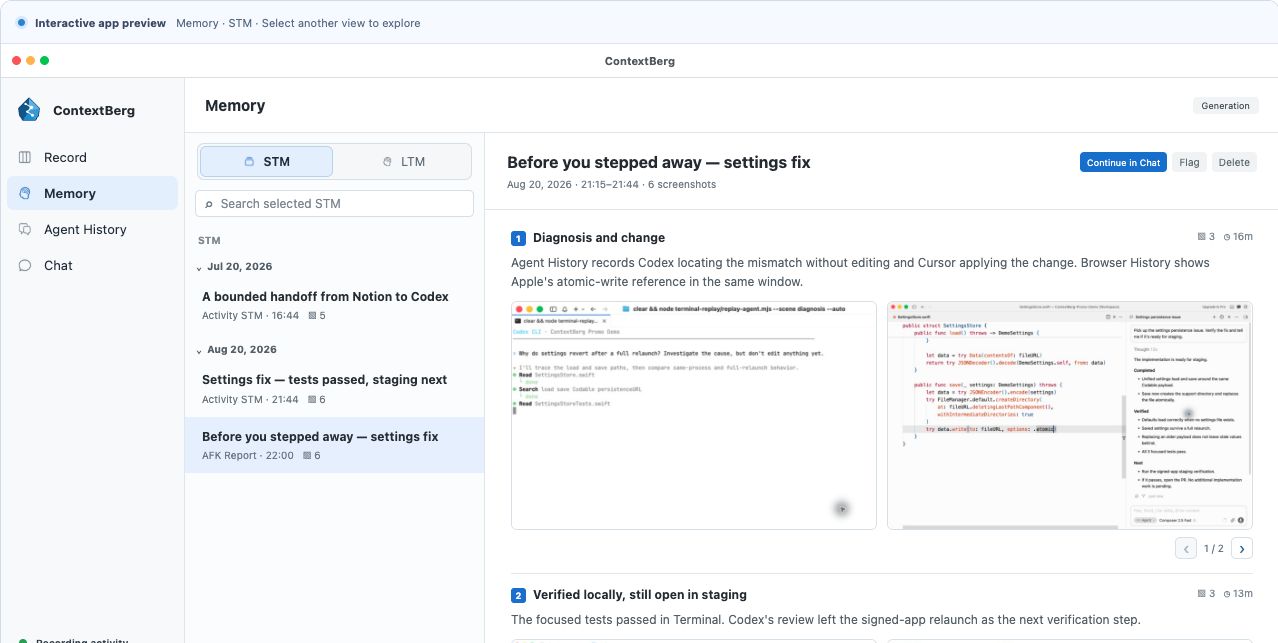
Short-Term Memory (STM) pairs a concise recap directly beside captured screenshots so you immediately recognize where you stopped. Included in the launched Lite plan, opt-in read-only Slack & GitHub context also surfaces selected public mentions and repo updates with direct source links (never scanning private DMs or posting messages).
03 · Next morning & browser AI
Carry ongoing context across days—including browser AI chats
Research done in browser AI tabs disappears into yesterday's history, forcing you to re-explain the same project constraints every morning.
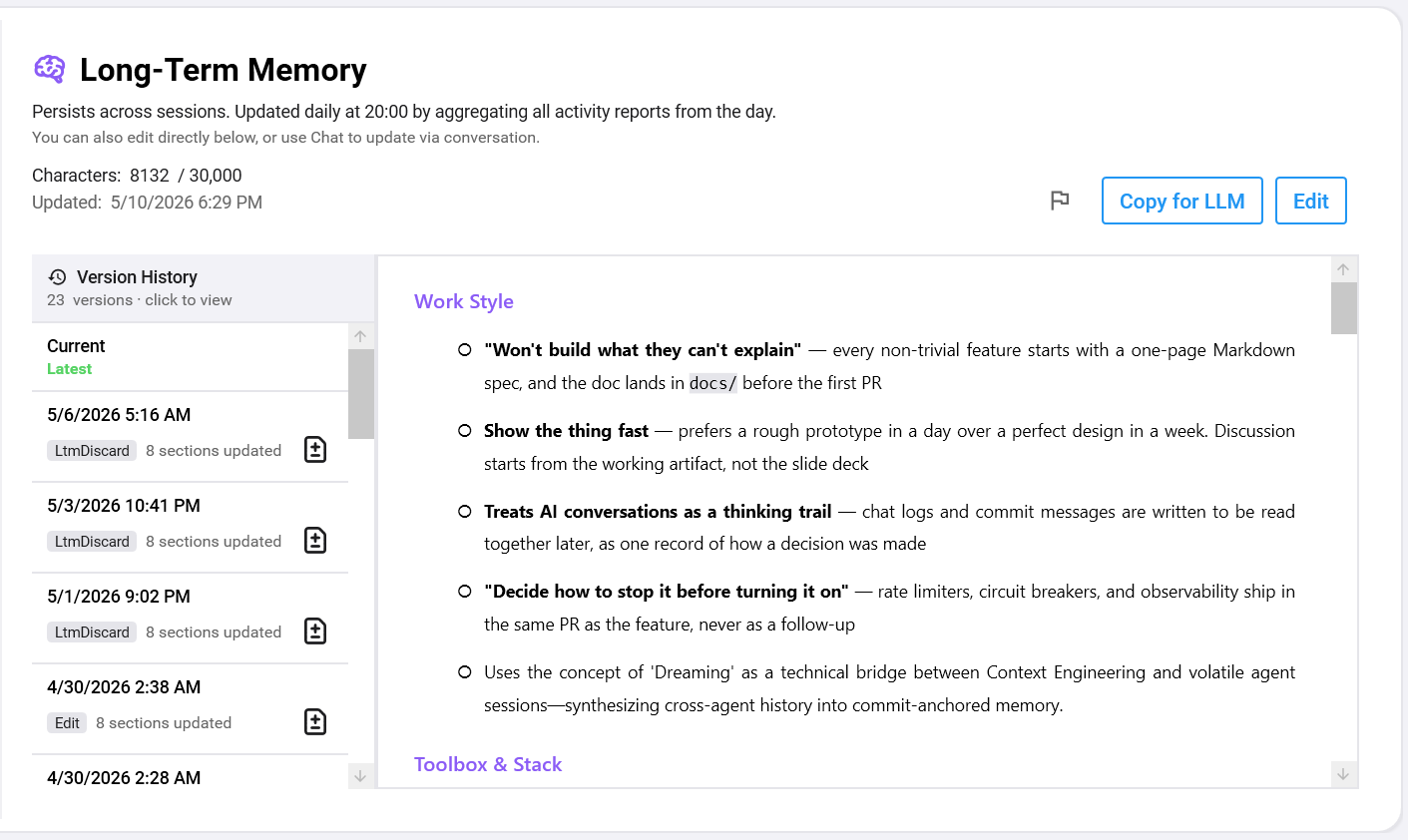
Editable Long-Term Memory (LTM) keeps ongoing projects and habits across days, and pairing with the Browser AI History extension lets you carry over browser AI conversations straight into today's work.
INTERACTIVE EXAMPLE
Toggle “With Contextberg” vs. “Without records”
Try Slack interruption recovery, half-done task sorting, and end-of-day recaps to see how AFK briefs, STM, and LTM shape the answer (sample data).
MCP retrieval details
get_activity({"hours": 2})
get_daily_memory({"date": "2026-11-21"})
Illustrative calls · sample dataRight before Slack pulled you away, you were updating row 7 (contractor rates) in `Q4_budget_v3.xlsx` while checking the vendor comparison doc in Chrome. The spreadsheet is saved, and the follow-up email draft hasn't been started yet.
30-second restart plan
- Glance at row 7 of `Q4_budget_v3.xlsx` to confirm your last edit saved cleanly
- Check the vendor comparison tab (`vendor-notes`) for the final unit rate you picked
- Copy the figure into your email draft instead of hunting back through Slack channels
Your pre-Slack screen and browser tab are preserved in Record so you do not have to reconstruct the trail from memory.
Connect ChatGPT / Codex (Mac & Windows)
Enable the capture signals you want, keep the Contextberg desktop app running, and connect via Node.js (npx).
# ChatGPT Desktop (MCP STDIO configuration)
macOS:   command = "npx",  args = ["-y", "@contextberg/mcp-server"]
Windows: command = "cmd",  args = ["/c", "npx", "-y", "@contextberg/mcp-server"]

# Codex CLI
macOS:   codex mcp add contextberg -- npx -y @contextberg/mcp-server
Windows: codex mcp add contextberg -- cmd /c npx -y @contextberg/mcp-server
# Set CONTEXTBERG_API_URL to the local API URL shown in your Contextberg app
Restart your client and verify via /mcp. Only the bounded context retrieved for your request is passed to the AI client.
START FREE ON MAC OR WINDOWS
Your work history. Your model choice.
Contextberg stays local on your computer and connects cleanly to your AI tools. Start free on Mac or Windows—no credit card or NPU required.
Need team or cloud limits?View pricing →