CONTEXTBERG FOR MAC & WINDOWS
Every context, connected.Every agent, empowered.
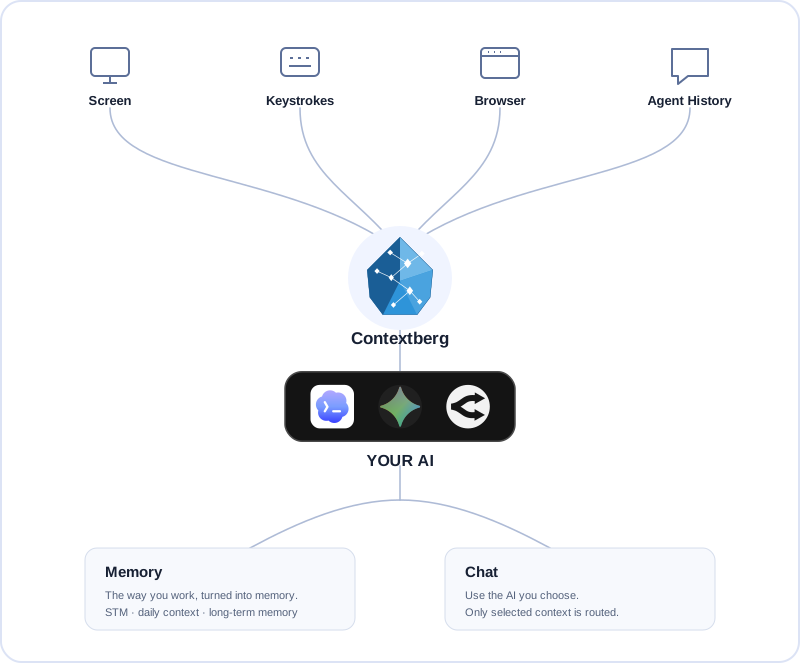
A memory app for what you were working through and what you did across apps, browsers, and agents. When you return, Contextberg suggests where to pick up next.
THE SOURCE · RECORD
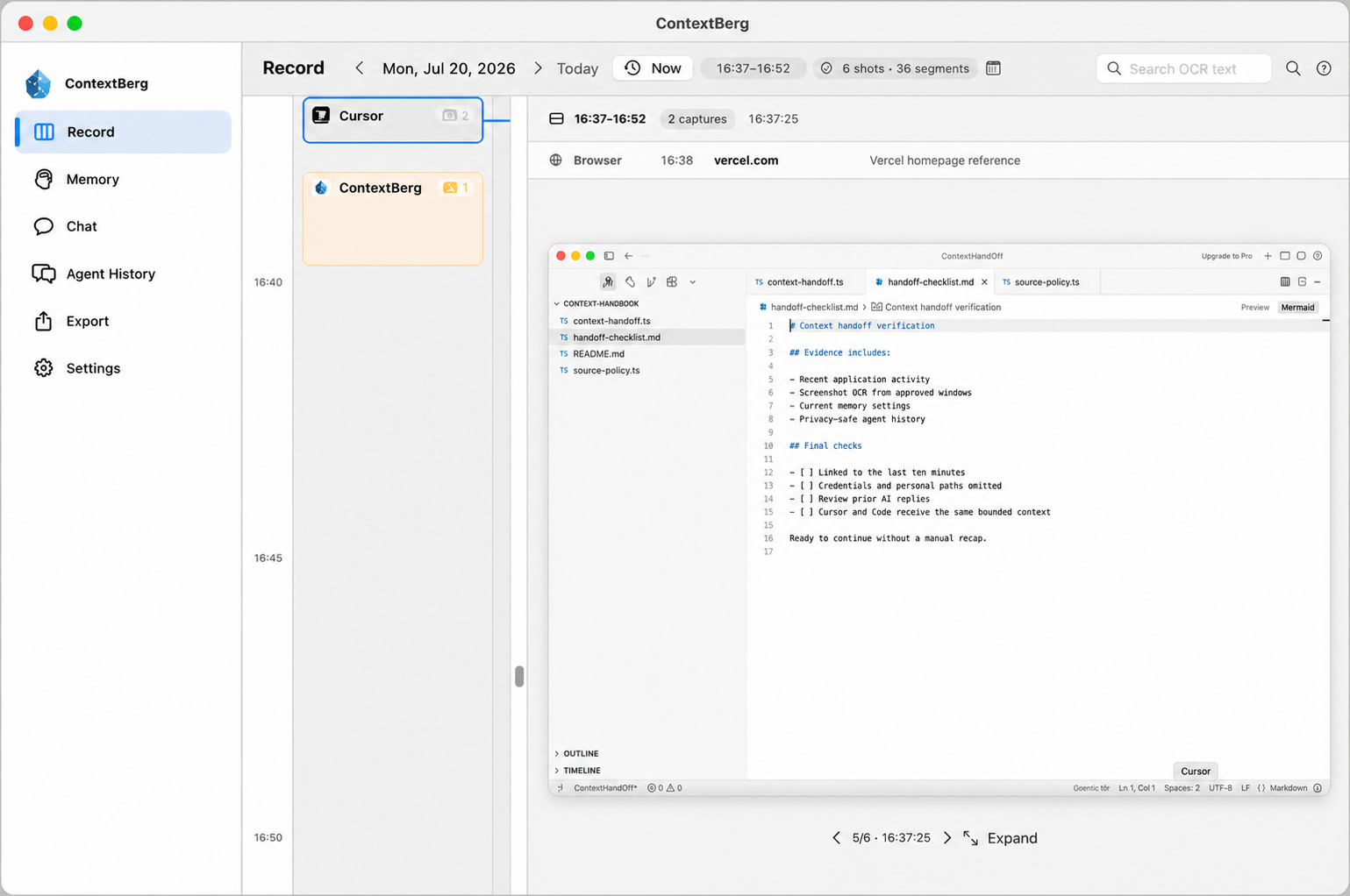
See what happened, and where.
Record captures the apps you use, screens you see, browser history, what you type, and conversations with AI agents. Revisit the timeline to see what you were doing.
This recorded context becomes the source for Remember, Memory, and Chat.
Choose what to record in Settings → Recording. Each source can be turned off.
Choose only the evidence this answer should use.
CONTEXT FOR THE TOOLS YOU ALREADY USE
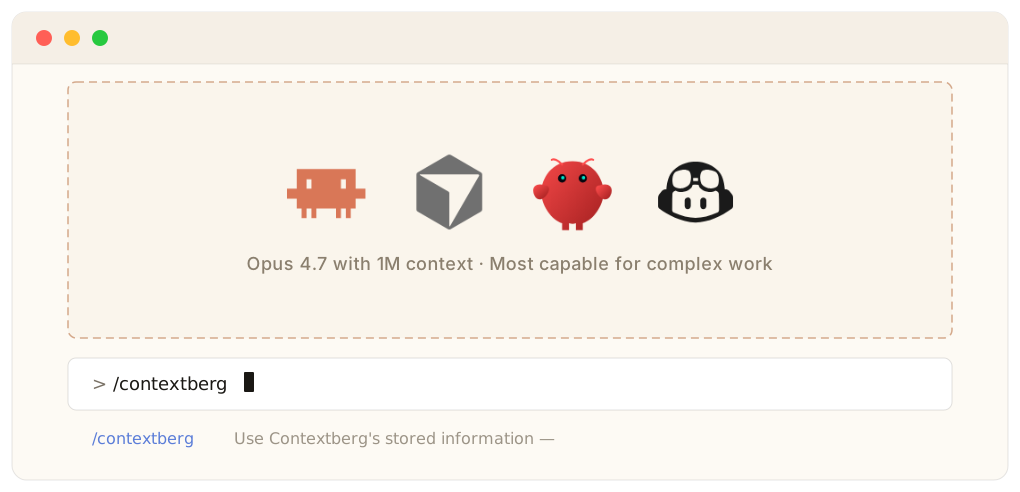
 Codex
Codex Claude Code
 Cursor
 OpenClaw
 GitHub Copilot
01 · REMEMBER
Come back to the work you were doing.
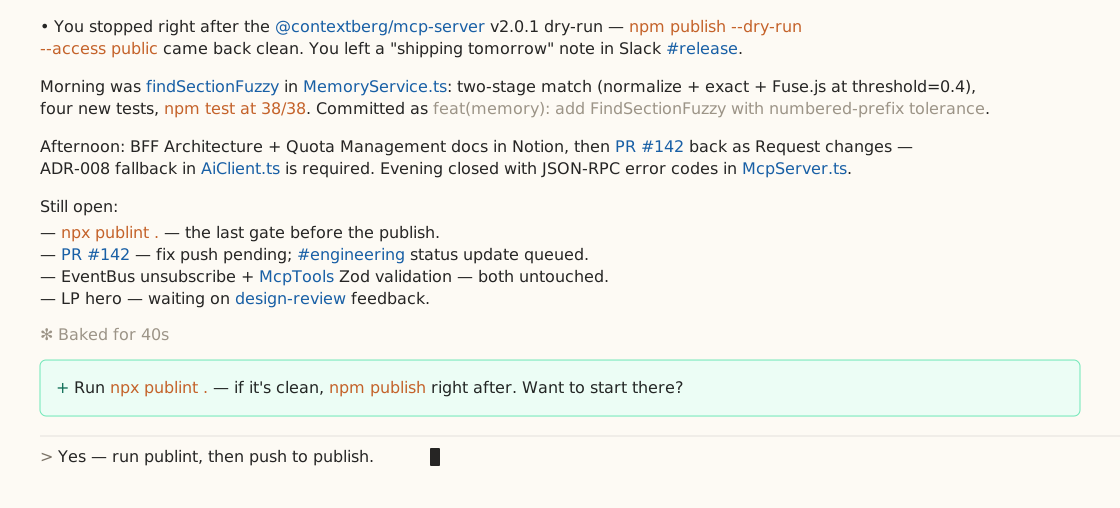
When you return after time away, ContextBerg brings the last stretch of work back into view. An AFK report shows what was finished and suggests where to resume.
- Get a report when you return from away time.
- Open it in Memory to revisit the work behind the summary.
- Ask Chat about a detail or where to pick up next.
Before you stepped away
The settings fix passed focused tests. A signed-app relaunch check is still open.
ContextBerg analyzed the activity before you returned from away time.
02 · MEMORY
Recent work becomes memory you can inspect.
Short-Term Memory organizes a period of work into topics with the captured screens behind them. Long-Term Memory summarizes patterns in how you work, including the tools you use and how you approach a task.
- Read STM topics and inspect their related captures.
- Revisit the sections and past versions of Memory.md in LTM.
- Carry the context you choose into Chat.
Settings fix — tests passed, staging next
1 Diagnose the relaunch mismatch
Codex compared the load and save paths; Cursor aligned them around one Codable file.
2 Verify and name the remaining gate
Three focused tests passed. The signed-app relaunch check remains open.
Work style and tools
Uses Cursor to implement changes and Codex to investigate and review them. At handoff, records passed tests separately from checks still outstanding.
Patterns drawn from work across sessions03 · LOCAL FIRST
Your history stays with you.
Your model is your call.
ContextBerg keeps work history on your computer. Use LM Studio for a fully local AI flow, or choose an existing Codex sign-in, your Gemini or OpenRouter key, or Contextberg Cloud.
04 · CHAT
Ask what you saw. Ask what changed.
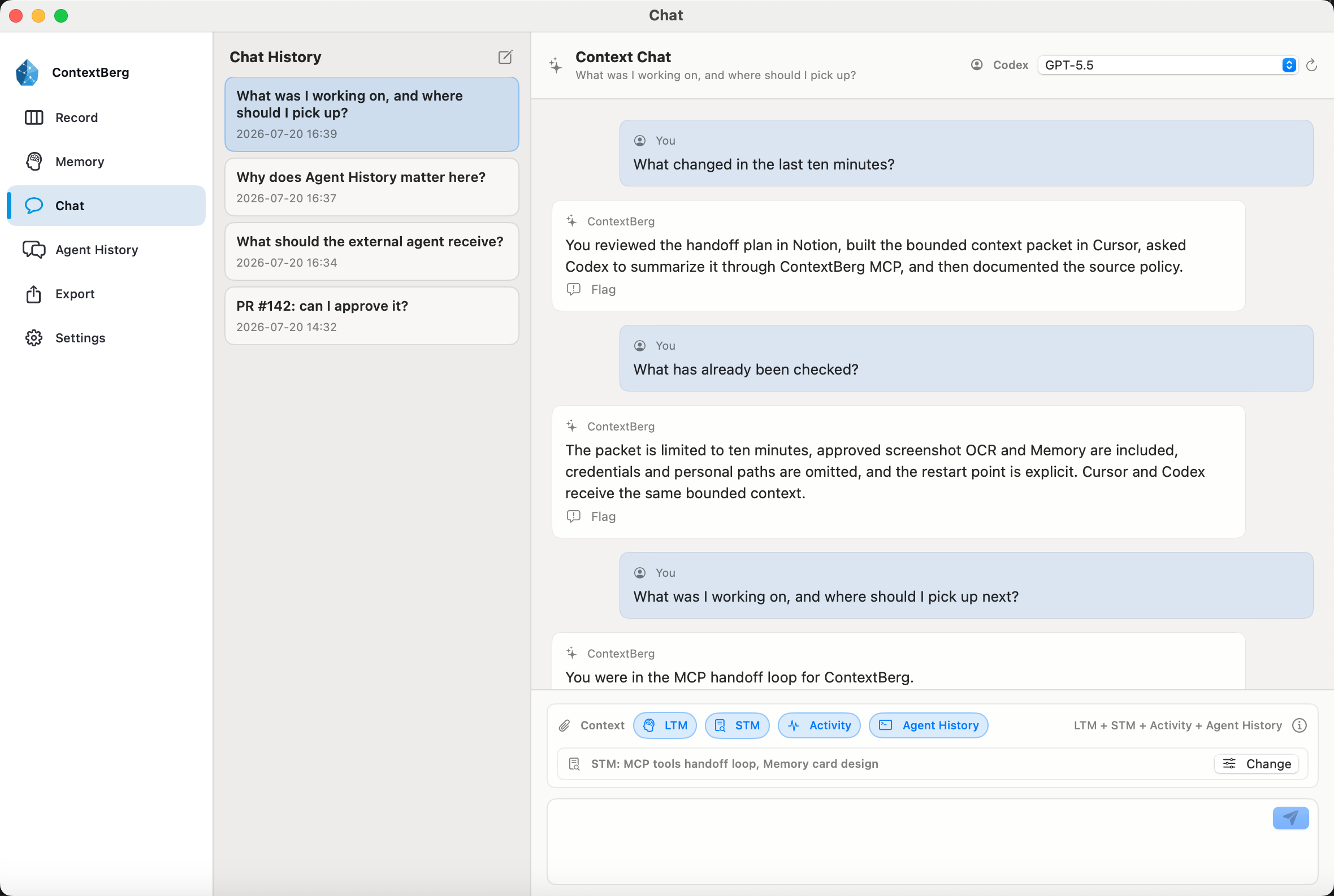
Chat can use the recorded activity, STM, LTM, and Agent History you select for a message. Ask which page you read, what an agent changed, which tests passed, or where to resume. The answer can connect those sources into one work story.
- Ask about viewed pages and work across apps.
- Trace an answer back to recent activity and agent sessions.
- Choose the context sources for each question.
05 · CONNECT / MCP
Bring that context to your agent.
Once your work is in ContextBerg, a compatible coding agent can ask for the selected context through the built-in MCP server. Connect the agent and continue from the sources you have chosen to record.
- Use the built-in MCP server with compatible agents.
- Share context from activity, browser history, Memory, and Agent History.
- Keep recording choices in your hands.
DATA & MODEL CHOICES
Your work history stays on this computer.
Choose what to record and which model receives the context you select.
Read the privacy policyWork data stays on your device
Record, captured screens, typed input, browser and agent history, and generated Memory are stored locally.
Your model, your choice
Use LM Studio to keep model execution on your computer, or send selected context to a provider you choose.
Contextberg Cloud is a model route
Selected context passes to Vertex AI for model execution. Contextberg does not save prompt or response text on its servers. Account, subscription, usage-limit, and operational metadata remain in the cloud. Google may retain prompts for abuse monitoring under its applicable terms.
Google's data retention details ↗REMEMBER YOUR WORK
Record the work. Keep the memory.
Pick up where you left off.
ContextBerg gives you a source trail and a way to ask about it, with local storage and recording choices you control.
Get ContextBerg