We built a Chrome extension to manage ChatGPT, Claude, and Gemini conversation history
How Contextberg Browser AI History saves conversations from ChatGPT, Claude, Gemini, Perplexity, and Manus locally, then makes them searchable and useful to Codex and Claude Code.
この記事を日本語で読む →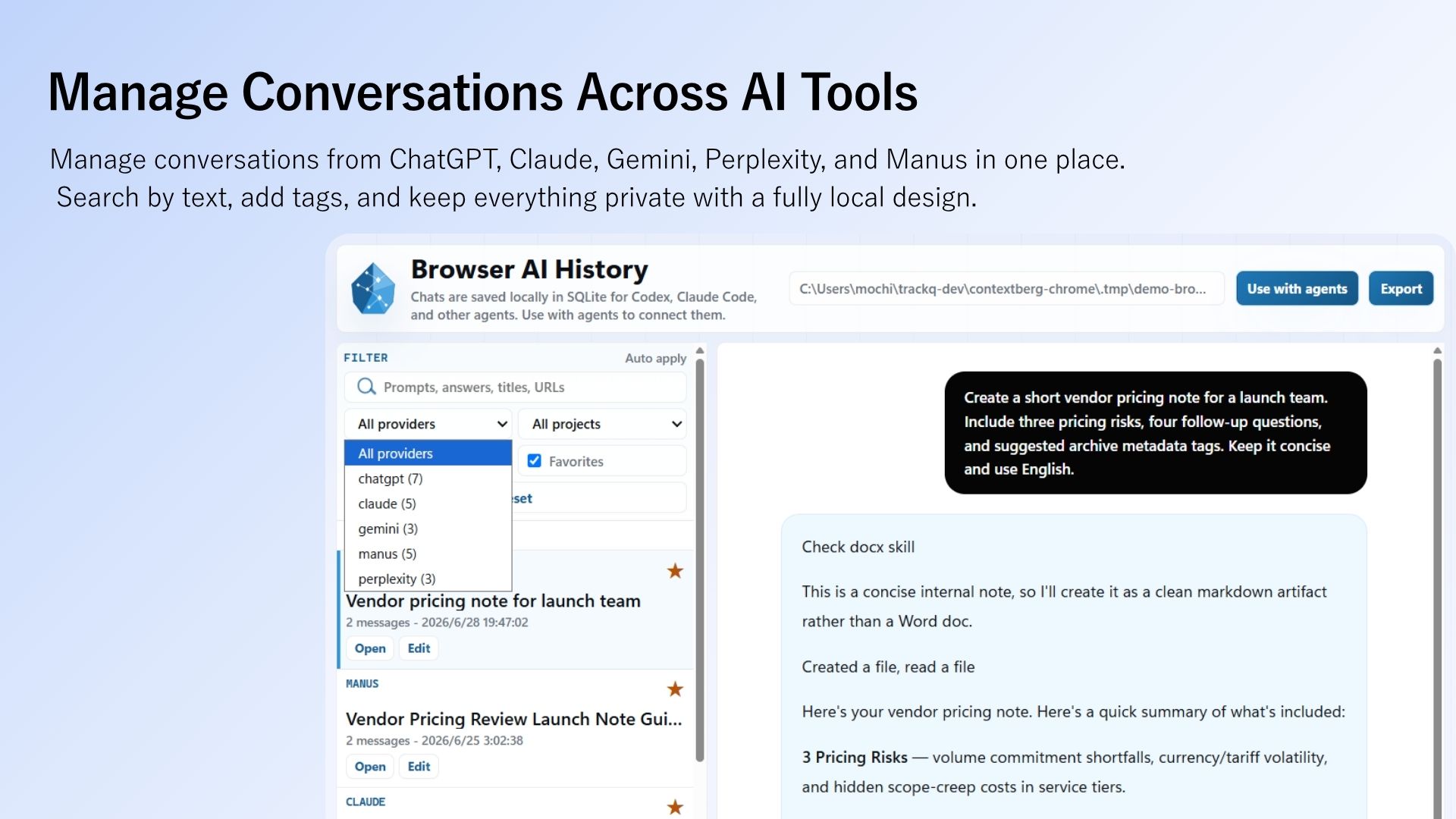
What we built
Contextberg Browser AI History is a Chrome extension for managing conversations across browser-based AI tools. It saves chats from ChatGPT, Claude, Gemini, Perplexity, and Manus locally, so you can search, tag, bookmark, and export them later.
The goal is more than a ChatGPT export tool. Research in Perplexity, a draft in Claude, and work done in Manus should become context that Codex or Claude Code can use in a later session.
Why AI chat history needs its own home
AI work rarely stays in one chat app. You might research with Perplexity, write with Claude, inspect an image with Gemini, implement with Codex or Claude Code, and ask quick questions in ChatGPT.
The reasoning behind a decision remains inside each service. A specification drafted in Claude, a prompt tested in ChatGPT, or a source found in Perplexity is not visible when you start coding the next day. You end up explaining yesterday's work again.
The useful unit is not just a downloadable transcript. It is a conversation you can find, understand, and hand to another tool when the work continues.
| Work | What gets lost | What helps |
|---|---|---|
| Research | Sources and comparisons found in Perplexity or Gemini do not reach a coding agent. | Search URLs, answers, and prompts across services. |
| Planning | Decisions made in Claude or ChatGPT are missing when implementation begins. | Organize conversations by project and tag. |
| Implementation | You reopen each provider's history to find an earlier exchange. | Pass relevant chats as Markdown, JSONL, or SQLite data. |
| Review | The path from research to decision is split across providers. | Keep one local archive for multiple AI tools. |
How it differs from an export-only extension
Some extensions export a ChatGPT or Claude conversation to PDF, Markdown, or JSON. Others search one provider's history or save chats to a knowledge base. Those are useful, but an export is often the end of the workflow.
Contextberg is designed for the next step: a local work archive that an agent can search. The intent is to let Codex, Claude Code, or Cursor retrieve relevant conversations and use previous decisions as work context.
| Approach | Strength | Typical gap | Contextberg's direction |
|---|---|---|---|
| Single-provider search | Quickly find chats in one service. | Context remains split when work spans several AI tools. | Cover ChatGPT, Claude, Gemini, Perplexity, and Manus. |
| Export-focused tools | Save a chat as PDF, Markdown, or JSON. | The saved file may not be easy for an agent to reuse. | Make Markdown, JSONL, and SQLite archives available to agents. |
| Cloud knowledge bases | Sharing and syncing are convenient. | Chat content is stored with an external service. | Save locally first; export only when the user chooses. |
| Browser AI History | Combines saving, search, tags, and agent access. | Provider UI changes require maintenance. | Connect browser AI work to local work memory. |
Organize a conversation while it is still open
Conversations rarely get organized if you leave all the sorting until later. In the Contextberg sidebar, you can save the current conversation and add a project, tags, a note, or a bookmark while its purpose is still fresh.
Tag a conversation with “pricing,” “research,” or “draft,” and you can find related work across providers. The archive is designed to search not only titles but also prompts, answers, URLs, tags, and notes.
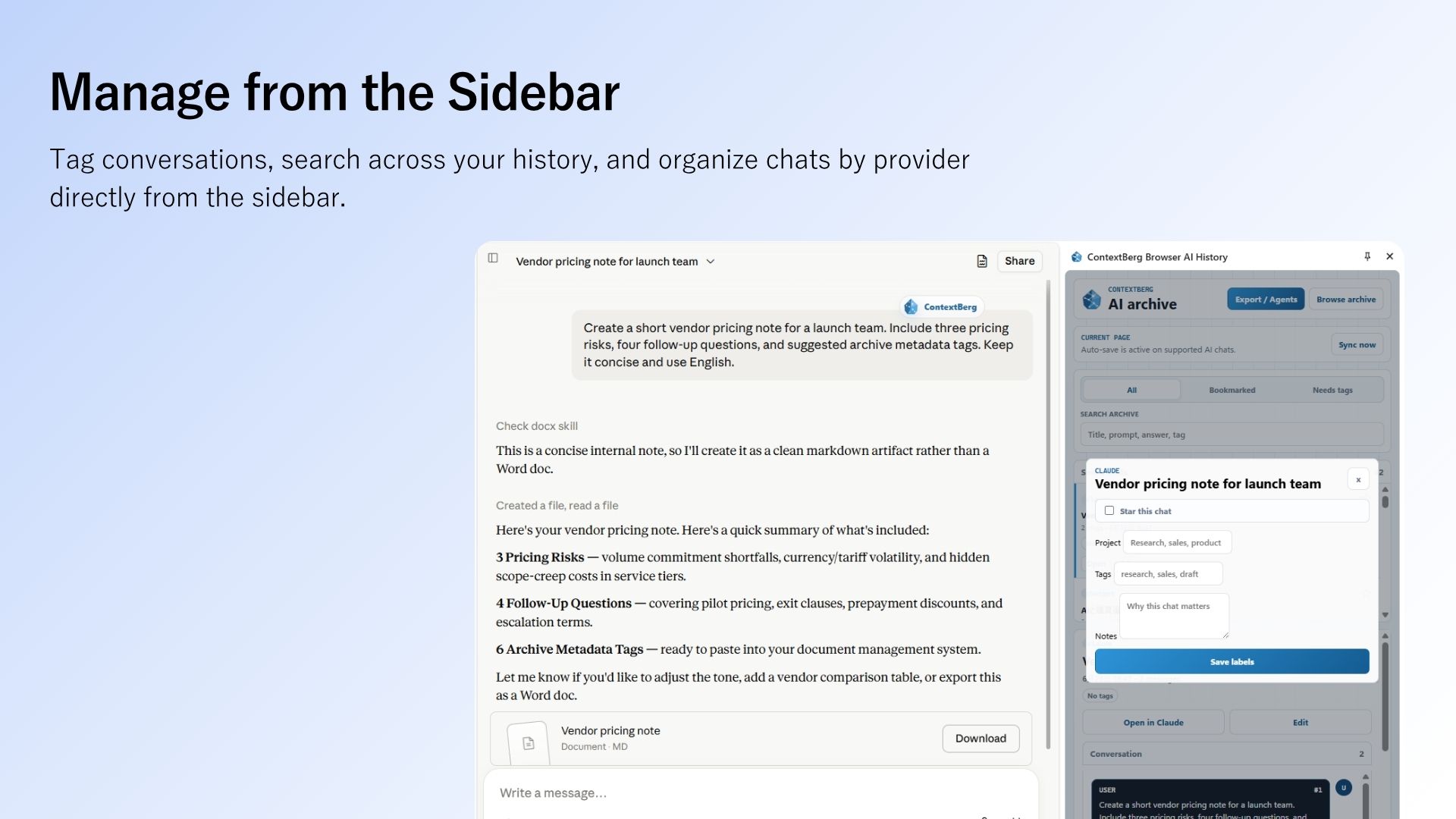
| Field | Purpose |
|---|---|
| provider | Identify whether the chat came from ChatGPT, Claude, Gemini, Perplexity, or Manus. |
| title / url | Find the entry and return to its original page. |
| prompt / answer | Support full-text search and agent context. |
| project | Filter by workstream or research topic. |
| tags / bookmark | Mark important chats, drafts, and things to revisit. |
| notes | Record why a human chose to keep the conversation. |
Make the archive available to Codex and Claude Code
Saving browser AI conversations only solves half the problem. Browser AI History also provides a path for development agents to use those saved conversations.
For a one-time task, copy the local archive path and a search prompt into Codex or Claude Code. For repeated use, add the Skill package so the agent can search browser-ai-history-db.
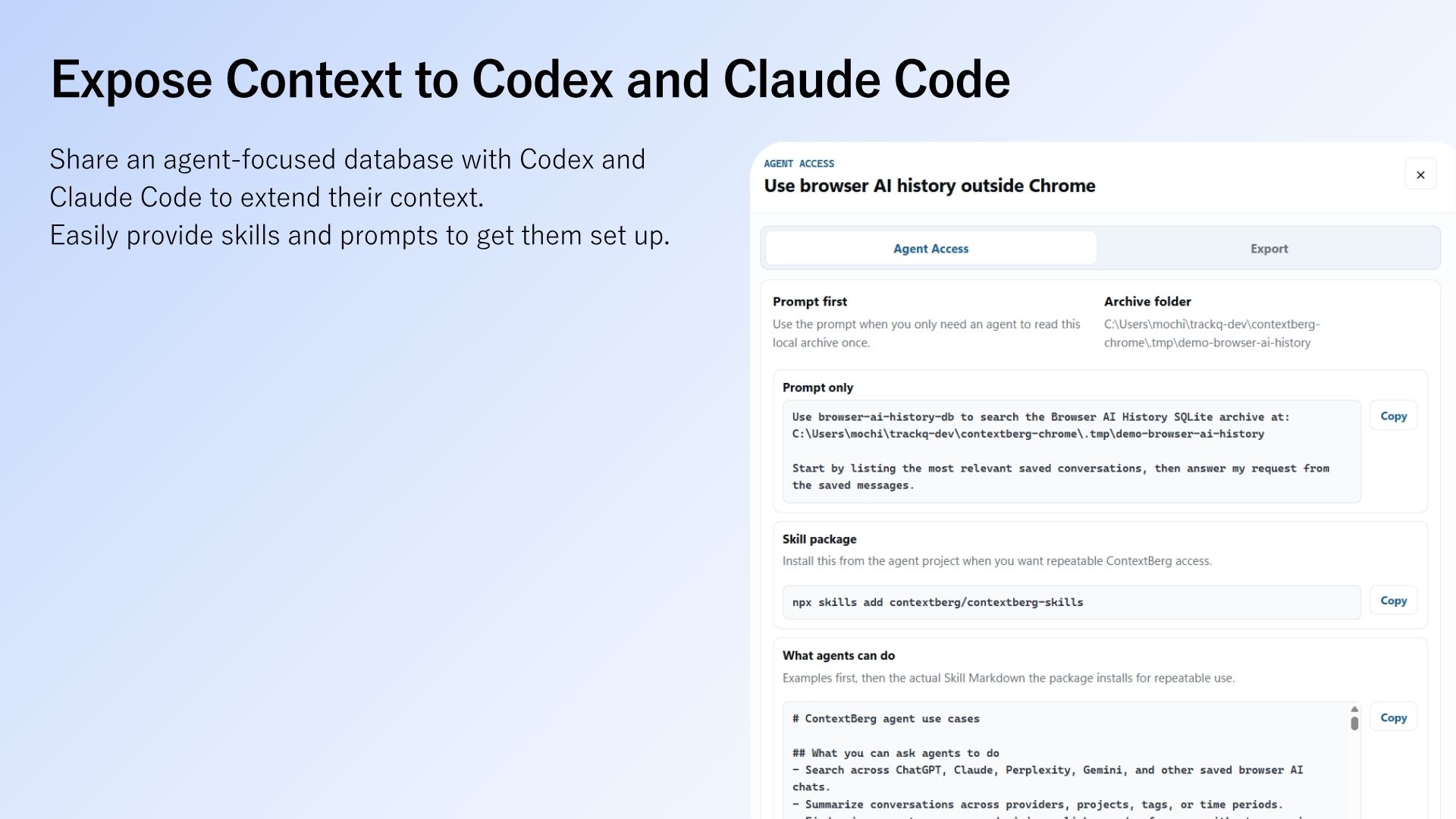
Use browser-ai-history-db to search the Browser AI History SQLite archive at:
<path-to-your-local-archive>

Start by listing the most relevant saved conversations, then answer my request from the saved messages.npx skills add contextberg/contextberg-skillsWhy the archive starts locally
AI chats can contain customer names, unpublished specifications, code, and personal notes. Automatically syncing every conversation to an external knowledge service would create an unnecessary privacy tradeoff.
Browser AI History first saves conversations in the extension's local storage. If you run the optional local bridge, it can also mirror them to an archive on your computer for SQLite access or export. Saved chat bodies are not automatically sent to Contextberg servers, analytics services, or ad networks.
| Area | Behavior |
|---|---|
| Chrome extension | Keeps saved conversations, tags, projects, and notes locally. |
| Local bridge | When enabled, writes to an on-device archive through localhost / 127.0.0.1. |
| Export | Creates Markdown, JSONL, Raw JSON, or Contextberg JSON on user request. |
| External transfer | Does not automatically send saved AI chat bodies to Contextberg servers. |
Where it fits in Contextberg
The Contextberg desktop app brings together screenshots, browser history, input, app activity, and agent conversations to give AI agents context about work done on your computer. The Chrome extension extends that memory to conversations inside browser AI tools.
A memory tool limited to Codex or Claude Code misses research in ChatGPT, Claude, Gemini, Perplexity, and Manus. A chat export tool alone misses the surrounding desktop activity. Contextberg aims to connect those two sides without treating a cloud upload as the default.
The longer-term goal is to let an agent answer questions such as “What did we find in the last pricing review?” or “Apply the specification we agreed on in Claude” using relevant, locally stored work context.
What we will explore next
This extension raises several practical questions beyond one feature announcement: how to search ChatGPT history, export Claude conversations, archive AI chats locally, and give Codex or Claude Code access to the conversations that matter.
Browser AI History is both a Chrome extension for saving AI conversations and a step toward local work memory for AI agents. We will explore those workflows in more focused articles.