Record, Understand,
Connect to AI.
Contextberg is more than a simple time tracker. It's a tool that transforms your work context into assets for the AI era.
THE SOURCE · RECORD
See what happened, and where.
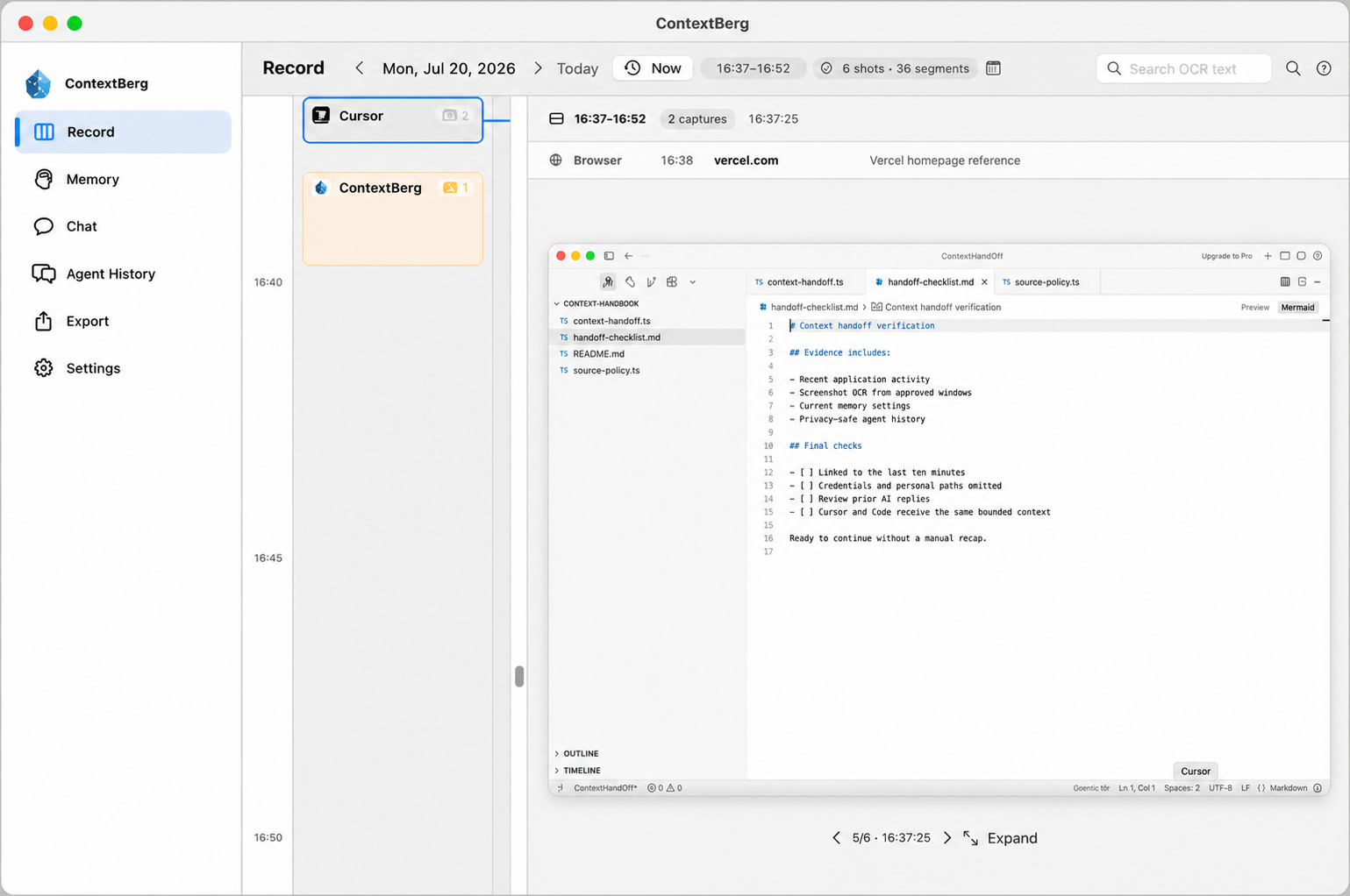
Record captures the apps you use, screens you see, browser history, what you type, and conversations with AI agents. Revisit what you were doing. This recorded context becomes the source for Remember, Memory, and Chat.
Choose what to record in Settings → Recording. Each source can be turned off.
BRAND FILM · 0:29
Pick up where you left off.
Watch the film we shared on Product Hunt. Screens, browser activity, and agent history come together so an unfinished task can move forward.
Install & Launch
Just download and run the installer. No complex configuration or account registration required.
- Download the app from the official site
- Launch app after installation
- Start immediately with no signup - local storage
Automatic Recording to 'Forget'
Once launched, just minimize it. All your activity is recorded in the background.
- Auto-capture windows, apps, and input
- No conscious start/stop operations needed
- Minimal impact on PC performance
Understand via Timeline
When you wonder 'What did I do today?', check the timeline. All your work trails are there.
- Recall memory with chronological screenshots
- View usage time by app in graphs
- Objectively understand unconscious breaks and social media checks
Connect to AI Agents
Provide recorded context to AI. Just turn on MCP server feature, and AI becomes your work-aware partner.
- Add Contextberg to Claude Desktop or Cursor settings
- Tell AI 'summarize what I was viewing earlier'
- Context search based on past work logs becomes possible
Improve with Daily Review
Review AI-generated daily reports at end of day. Reflect on time usage to improve tomorrow's productivity.
- Output AI-aggregated daily reports
- Identify focus periods and distraction causes
- Build personal work database for long-term accumulation
Use Cases for Individuals
Contextberg is designed for YOUR productivity and creativity.
- Visualize work patterns to know your most focused hours
- Identify unconscious social media checks and distractions to improve
- Eliminate 'felt like I did' and gain confidence based on actual results
- Feed entire work logs to AI to auto-generate daily reports
- Have AI search past error logs and solutions
- Solve 'what was that again?' just by asking AI
- Records for yourself, not for boss or team reports
- Local storage keeps confidential and private info safe
- Preserve entire thought process and trial-and-error
Your work history stays on this computer.
Record, captured screens, typed input, browser and agent history, and generated Memory are stored on your device. You choose what to record and which model receives the context you select.
SETTINGS → RECORDING
Choose the sources
Switch activity, screenshots, typed input, browser history, agent conversations, and AI reports on or off separately.
SETTINGS → EXCLUDED APPS
Leave sensitive apps out
An excluded app still appears by name in Record; its screenshots, browser history, keyboard, and clipboard records are skipped.
SETTINGS → ACCOUNT · MAC
Erase local data
Delete Local Data removes the local database, screenshots, device ID, and sign-in tokens on that Mac. Cloud account deletion is separate.
CONTEXTBERG · DATA PATH
On-device historySOURCES YOU ENABLE
ON THIS COMPUTER
Record + Memory
Work history and generated Memory stay on this device.
AI ROUTE YOU SELECT
LM Studio
Model execution stays on this device.
Codex / Gemini / OpenRouter
Only selected context goes to your chosen provider.
Contextberg Cloud · Vertex AI
Selected context is relayed to Vertex AI for model execution. Contextberg does not save the prompt or response text on its servers.
The cloud keeps account, subscription, usage-limit, and operational metadata such as request times and token counts.
Google may retain prompts for abuse monitoring under its applicable terms. Google's data retention details
Local deletion is available in Settings → Account on Mac.
Turn Your Work Into Assets.
In an era where AI collaboration is the norm. Start by recording your own logs first.
* No credit card required
* Runs completely local