What is persistent memory for AI agents?
A practical guide to the work context an AI agent needs across sessions: recent activity, decisions, research, and durable project knowledge.
この記事を日本語で読む →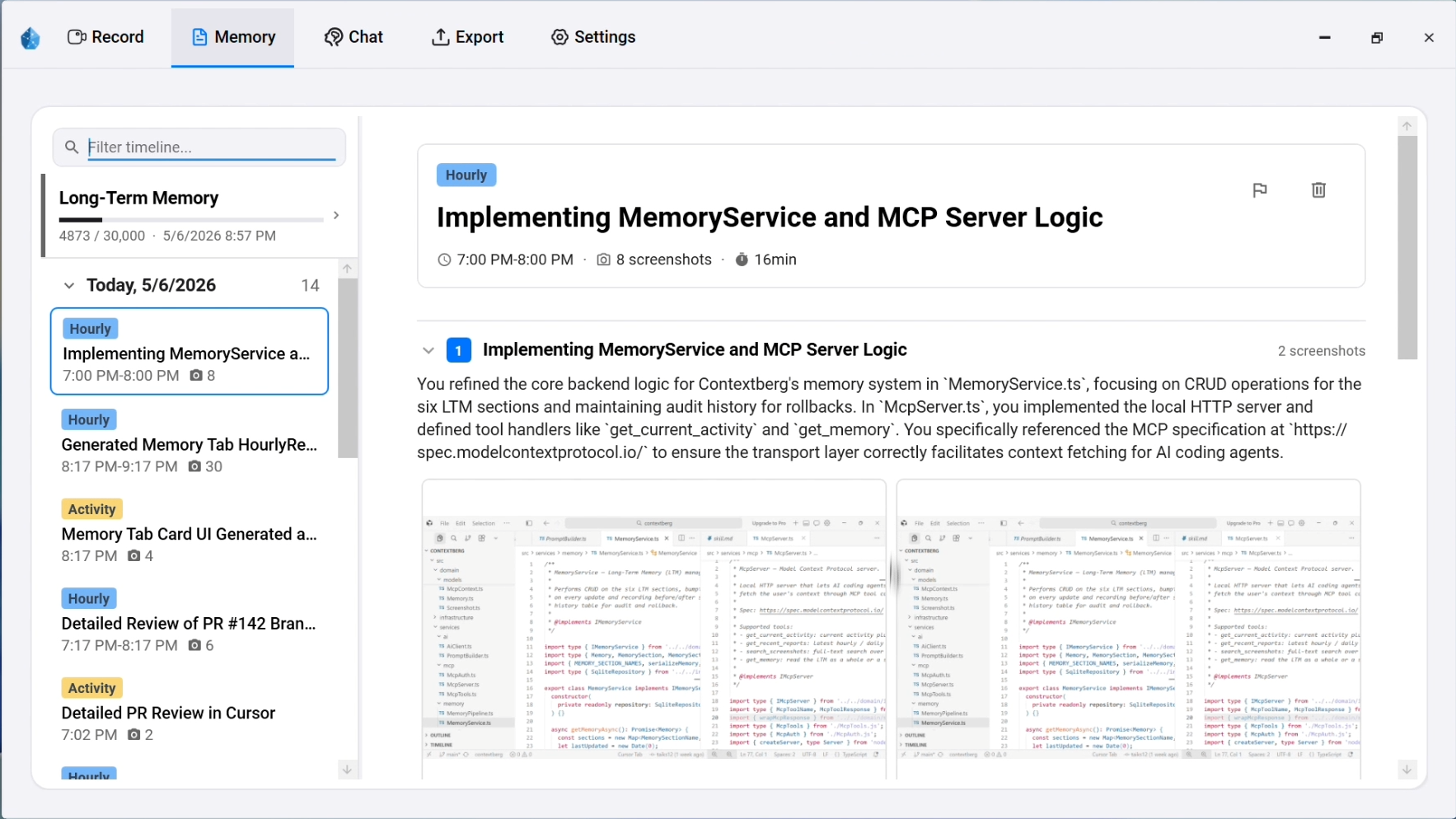
A new session should not mean a new explanation
An AI coding agent can be effective inside one conversation and still lose the thread when you start the next one. It may not know which issue you read yesterday, why you rejected an approach, or what another agent already tested. You then spend the first part of the session rebuilding its context.
Persistent memory is a way to make useful information available across those boundaries. The goal is not to preserve every token of every chat. It is to recover the facts and evidence the next task actually needs.
What belongs in agent memory?
Different questions need different time scales. A useful system separates what just happened from what remains true about a project. Otherwise a long transcript can bury the one detail that matters now.
| Context | Example | Why it matters |
|---|---|---|
| Recent activity | The file, app, error screen, or documentation page you just viewed | Helps resume after an interruption |
| Work summary | What changed, what passed, and what still needs review | Provides a restart point without replaying the whole day |
| Durable memory | Project constraints, working preferences, and recurring decisions | Gives a new session stable background |
| Source trail | The page, screen, or agent conversation behind a conclusion | Lets you inspect whether a remembered claim is supported |
A remembered statement should be correctable. If a project rule changes, you need to see and revise the stored assumption rather than let an old summary silently shape future answers.
Chat history is only one part of the work
The decision may have started before the agent conversation. You might have compared two documentation pages in a browser, checked an error in a terminal, changed a setting in an editor, and then asked Claude Code to implement the fix. A chat transcript captures the last step, but often misses the investigation that made it reasonable.
Contextberg records work signals such as app and screen activity, browser history, typed input, and agent conversations on your computer. Record is the source timeline; Remember, Memory, and Chat use that recorded context for different questions. Recording controls let you choose which signals to capture.
The distinction is between keeping evidence and sending it to a model. Capturing a local source trail does not require inserting every raw event into every AI request. A focused question should retrieve the relevant period and level of detail.
Choose the memory layer for the question
| Question | Useful context | Expected result |
|---|---|---|
| Where did I leave off? | Recent Record activity and a work summary | A concrete next step and what remains open |
| Why did we choose this approach? | Research pages, agent history, and the related change | A decision with its source trail |
| How does this project work? | Long-term memory | Stable conventions and constraints to verify against the repo |
| What happened this week? | Reports across the relevant days | A time-bounded review rather than a raw event dump |
Contextberg's Activity, reports, and long-term memory serve these different time scales. The underlying Record history remains available to check a summary against what was actually captured.
Put the memory on the user's side of the agent boundary
A memory tied to one agent helps while you stay in that agent. The handoff problem returns when you move from Claude Code to Codex or Cursor. Keeping work memory with the desktop environment gives each compatible agent a common source of context.
Contextberg exposes selected local context through MCP. The desktop app owns the recorded history; the MCP bridge gives an agent a way to request a relevant slice. The agent should still check live files, tests, and current documentation before treating a remembered conclusion as present-day truth.
How to judge a memory system
More stored data is not automatically better memory. Before adopting a tool, ask how its records are created, inspected, corrected, retrieved, and deleted.
| Check | Question to ask |
|---|---|
| Coverage | Does it capture useful context outside the chat, such as browser research and app activity? |
| Relevance | Can it return a small, time-bounded answer instead of the entire history? |
| Evidence | Can you trace an important claim back to the underlying record? |
| Freshness | Can you distinguish a recent event from an older, durable assumption? |
| Control | Can you pause or exclude capture, inspect memory, and remove data? |
| Portability | Can more than one agent use the context without copying it by hand? |
Persistent memory is useful when it reduces re-explanation while keeping the human able to see what the agent knows and where that knowledge came from.